Free · Open source · Android 10+

Internet
radio, fully
tuned in.

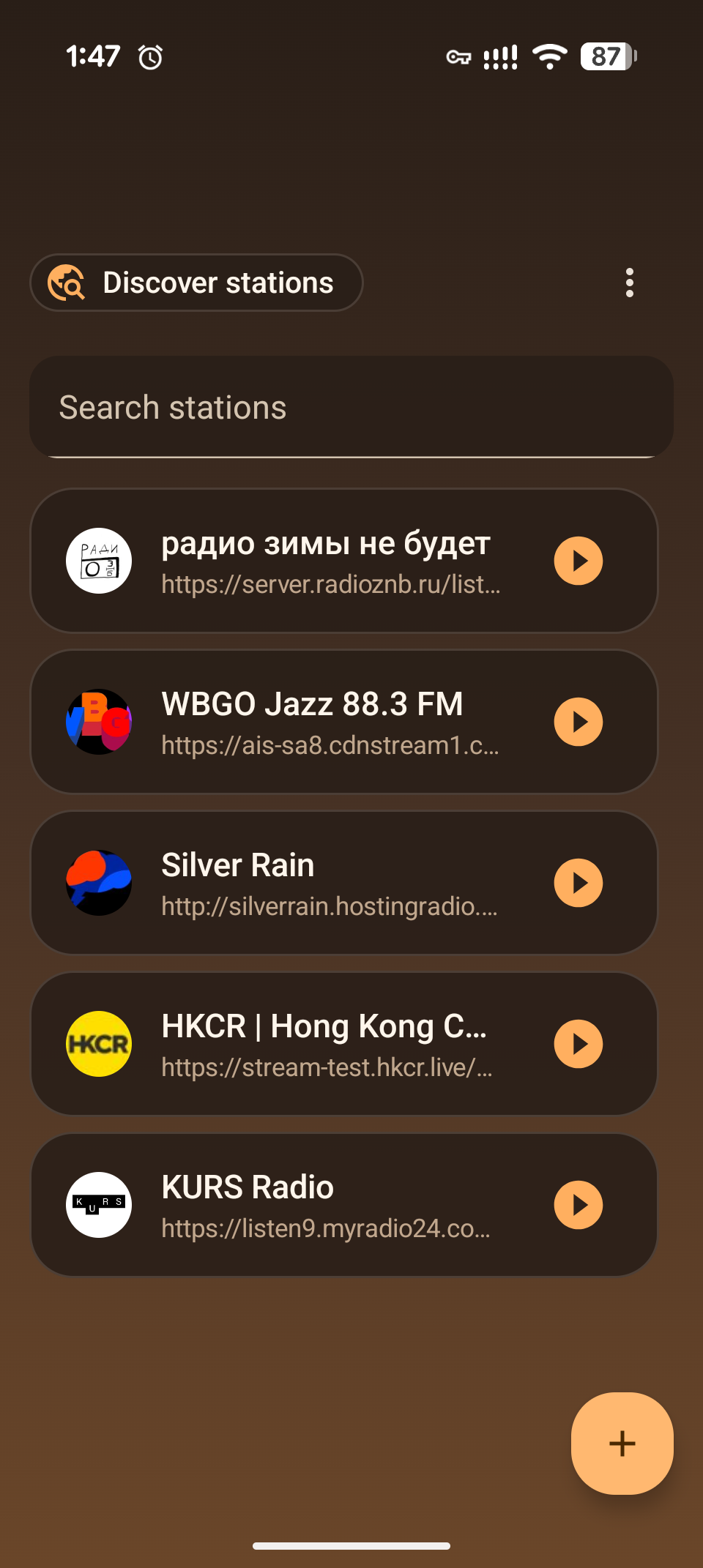
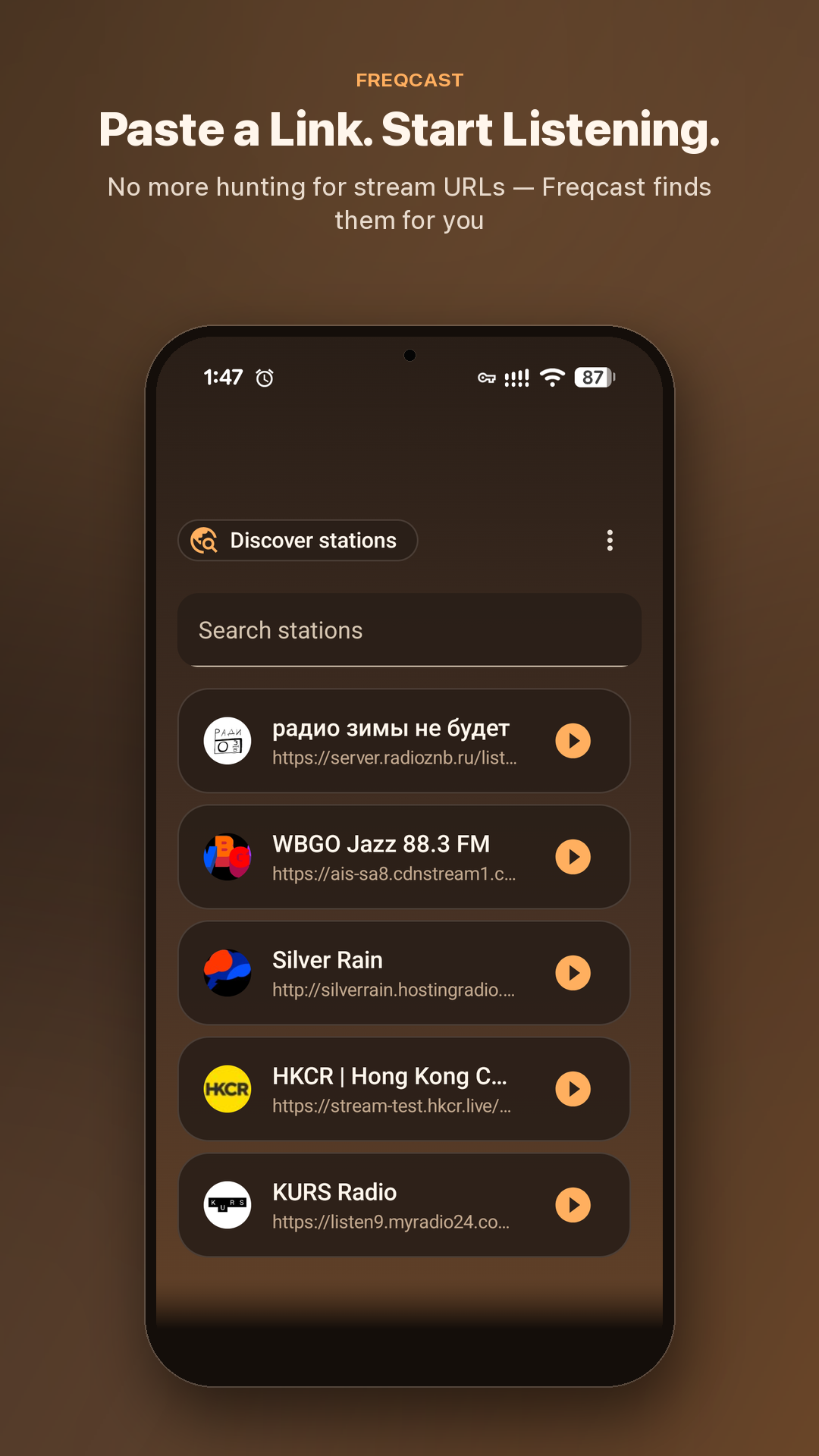
Freqcast library screen listing the curated stations

Freqcast is a free, open-source Android radio player. Paste a station’s website and it finds the stream for you — then listen in the background, in the car or from a home-screen widget, with live rewind, sleep timers and alarms.

Try it: tap ▶ · open Discover · swipe a card left · press, hold and drag to reorder.
Some directory stations are plain http and can’t start from a web page.

NO ACCOUNT · NO ADS · NO CATALOG LOCK-IN · GPL-3.0


The core idea

Adding a station shouldn't require a URL inspector

1

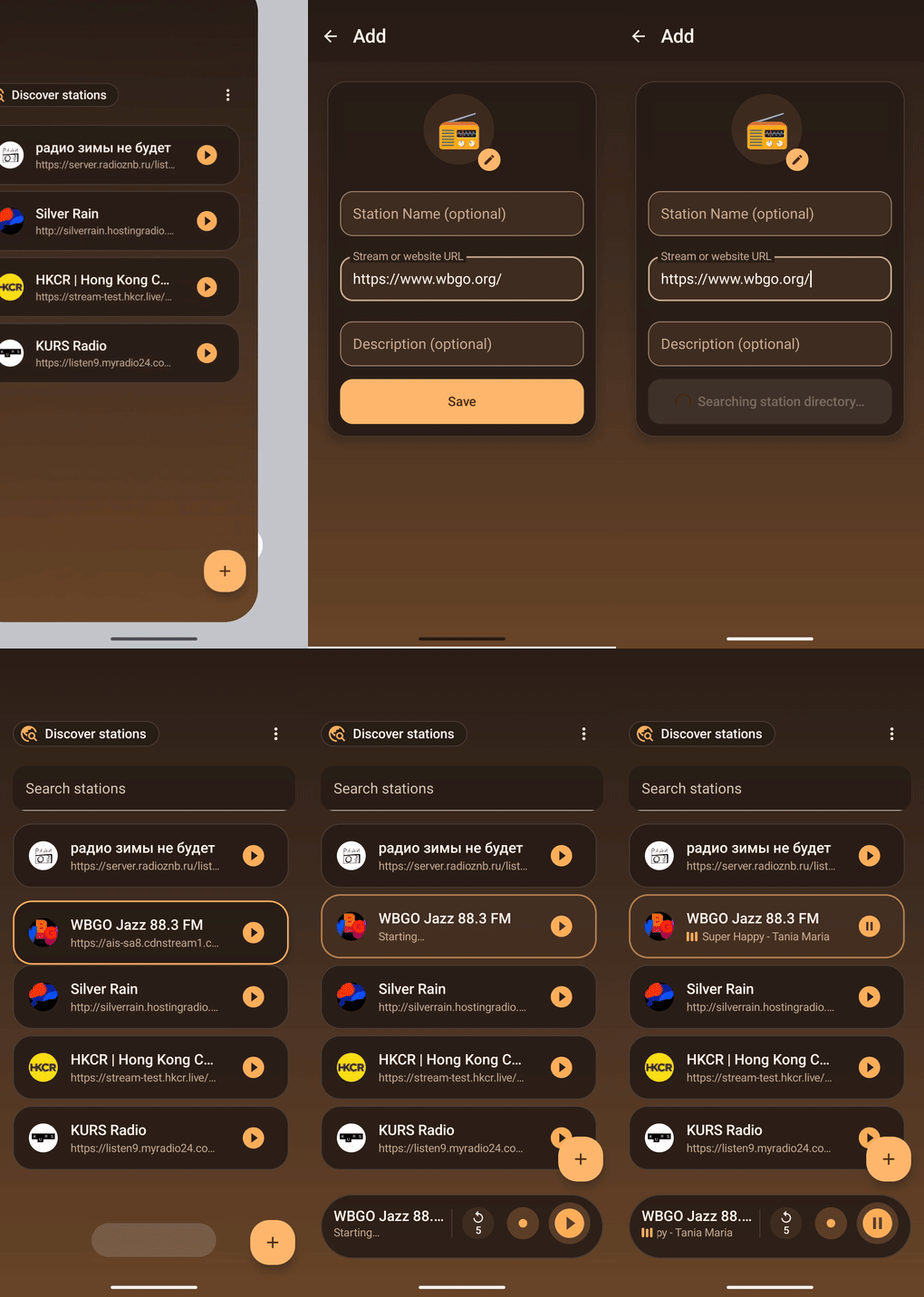
Paste the link

Drop in a station's homepage. That's the only input Freqcast needs.

2

Freqcast goes looking

It checks the Radio Browser directory first, then scans the page itself for a playable stream.

3

Verified, then saved

The stream is probed before it's written to your library, so dead links never make it in.

Screen recording of adding a station by pasting its website link in Freqcast

Grounded in real feedback

Real complaints, actually fixed

Recurring frustrations with internet radio apps, from public reviews and forum threads.

"Ads cut into the stream every 5–10 minutes — sometimes restarting playback entirely." source ↗

Zero ads. Always.

"Favorites can't be reordered — you're stuck with whatever order you added them in." source ↗

Drag to reorder, any time

"Turned out the 'radio' app was quietly running dozens of third-party trackers." source ↗

Zero trackers. Open source.

"Adding a stream by hand either isn't supported, or the app crashes trying to reconnect." source ↗

Manual add + reconnects on its own

"No Android Auto — a gap open-source radio apps have left unfilled for years." source ↗

Android Auto, from day one

Everything included

One player, no compromises

All free. Nothing metered, gated or upsold.

Discover stations

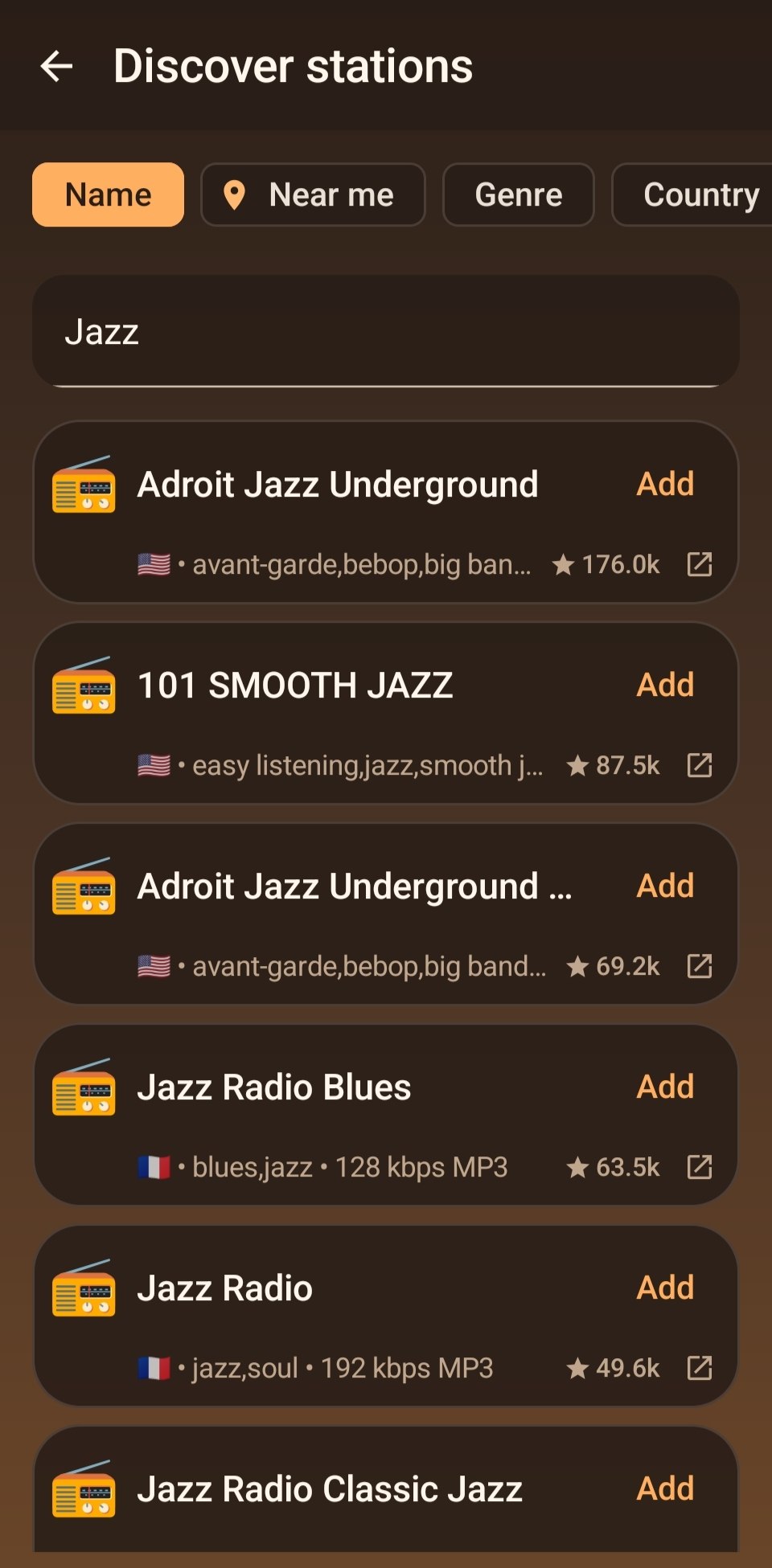
Search a global directory of stations by name, genre, country, language, or what's near you.

Reconnects on its own

If the connection drops, Freqcast waits a moment and tries again — without hammering your battery.

Timeshift

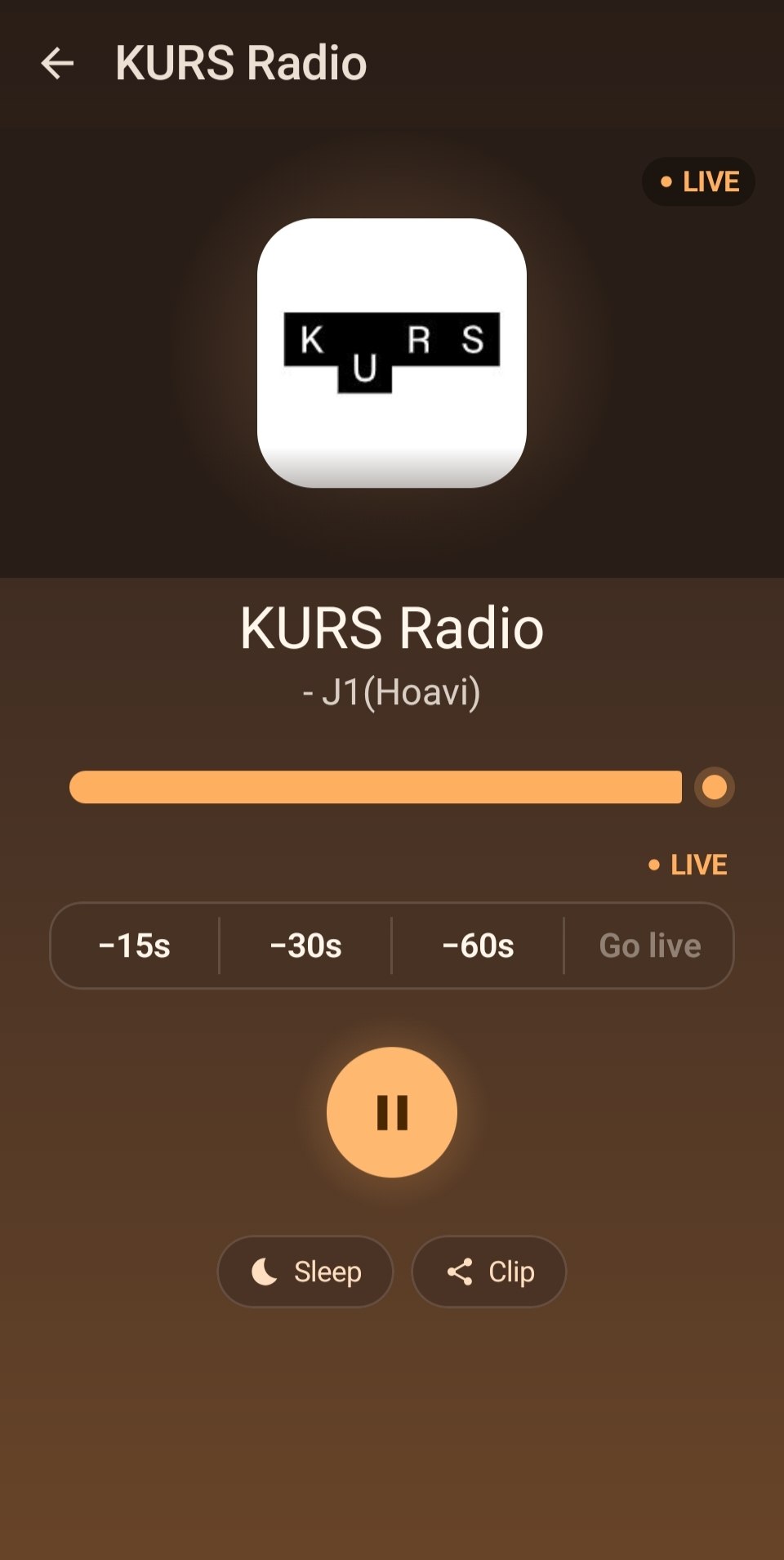
Rewind live radio on compatible streams — missed something? Step back 15, 30 or 60 seconds.

Live track title

Shows the current track title in real time — copy it with one tap.

Sleep timer & alarms

Fade out and stop after a set time, or wake up to any station with multiple daily alarms.

Widget & Android Auto

A home-screen widget for one-tap play, and a browsable station list on the car head unit.

Play it by asking

Play or stop a saved station through Gemini and other AI assistants, without opening the app (Android 16+).

Import & export

Move your library in and out via JSON, OPML, M3U or PLS — switch devices without rebuilding it.

Built for every screen

Two-pane layouts on tablets and foldables, and the interface is localized into English, Russian, Spanish and Simplified Chinese.


Inside the app

A look inside

Always dark: warm amber on charcoal, easy to read day or night.

Freqcast library screen listing saved stations with play buttons and an add button
Your library. Drag to reorder, swipe to share or delete.
Freqcast Discover screen showing Jazz search results from the Radio Browser directory
Discover. Search the global directory and add in one tap.
Freqcast now-playing screen with timeshift scrubber, sleep timer and clip sharing
Now playing. Timeshift, live track title, sleep timer and clip sharing — one screen.

Why Freqcast

Yours, on your device.

Freqcast keeps everything local and plays any station with a public HTTP/HTTPS or HLS stream. No account, no ads, no proprietary catalog.

Fully local

Your station list lives in an on-device database. Nothing is synced to a server you don't control.

Open source, GPL-3.0

The full source is on GitHub. Modified or redistributed versions must stay open, too.

Permissions you can audit

Every permission below maps to a feature you can see. Nothing is requested speculatively.

PermissionWhat it's for
INTERNET
ACCESS_NETWORK_STATE
Stream playback and connectivity checks.
FOREGROUND_SERVICE
_MEDIA_PLAYBACK
Keeps audio playing in the background.
POST_NOTIFICATIONSShows the media playback notification (Android 13+).
WAKE_LOCKKeeps the network alive while playing with the screen off.
RECEIVE_BOOT_COMPLETED
SCHEDULE_EXACT_ALARM
Lets wake-up alarms survive a reboot and fire on time.
ACCESS_COARSE_LOCATIONOnly for Discover's "near me" search — sent for that one search, never stored.

Get Freqcast

Grab the latest signed APK from GitHub Releases — no Play Store account, no sign-in.

  • Requires Android 10 (API 29) or later
  • Signed release build, reproducible from source

Build it yourself

# clone & run on a connected device
git clone https://github.com/z0rats/freqcast.git
cd freqcast
./gradlew installDebug